Loading
Wi-Fi Network Design & Troubleshooting
Strong signal does not guarantee good Wi-Fi. Congestion, interference, roaming problems, device density, and the network behind your access points can all cause poor performance.
NodalWire designs and troubleshoots Wi-Fi networks around how your people, devices, and applications actually use them, so the network continues to work when the environment gets busy.
What Are You Experiencing?
A network can show full signal and still feel slow, unstable, or unpredictable. In many environments, the real issue is capacity, interference, roaming, device behavior, or the infrastructure behind the access points.



Capacity Under Load
Looks fine until everyone connects.
Users show full Wi-Fi bars, but applications are slow, calls freeze, or devices keep retrying.
Conference rooms, classrooms, guest areas, warehouses, or event spaces work fine when empty but struggle when people arrive.
Calls disconnect, scanners lose sessions, or users remain connected to the wrong access point for too long.
Extra access points can increase contention and interference when channel reuse and cell boundaries are not engineered properly.
Phones, laptops, scanners, IoT devices, and legacy clients behave differently and can consume airtime very differently.
PoE limits, overloaded uplinks, VLAN or DHCP issues, firewall bottlenecks, or inadequate internet capacity can make a healthy RF design look bad.
These problems are rarely solved by simply adding another access point.
Where Do You Need Help?
Whether you are planning a new deployment, upgrading an existing network, or trying to fix recurring performance issues, NodalWire can assess the environment, identify the real constraints, and develop a practical path forward.
New Deployment
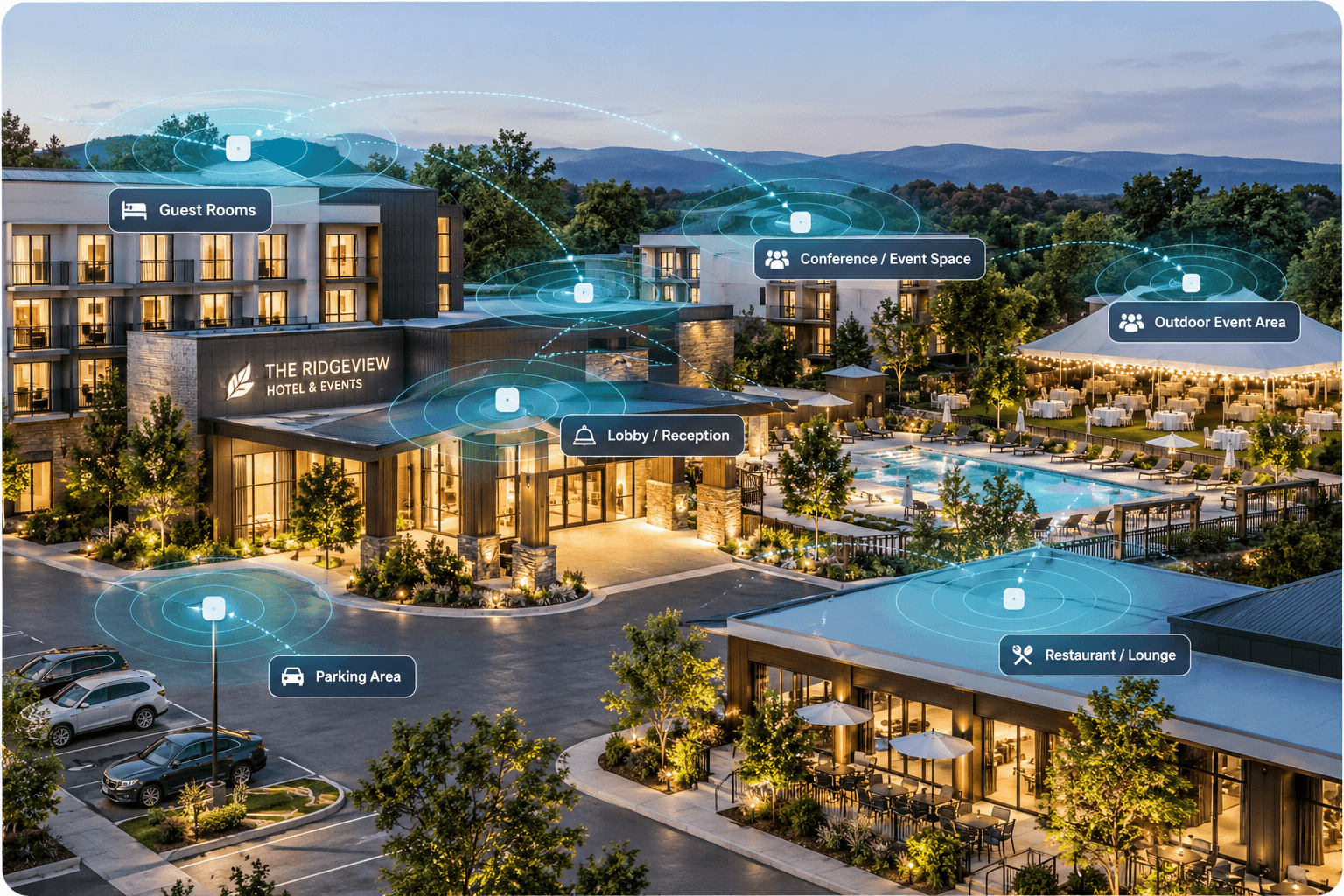
For new offices, campuses, warehouses, hospitality spaces, healthcare environments, and multi-building properties.
Existing Problem
For networks that are already deployed but slow, unstable, or inconsistent.
Upgrade / Refresh
For organizations considering Wi-Fi 6E, Wi-Fi 7, new access points, or a platform refresh.
Validation
For validating an installed or recently changed network.
See What the Signal Bars Don't Show
A device can show excellent signal and still perform badly. The real constraint may be airtime, retransmissions, interference, or another client consuming the shared channel inefficiently.
Select a client sharing this access point
A slow or inefficient client can occupy the channel much longer than a modern client sending the same amount of data.
Wi-Fi bars tell you whether the client can hear the access point. They do not tell you whether the channel has enough capacity.
Built Around Your Environment
An office, warehouse, hospital, school, hotel, and event venue do not behave the same way on Wi-Fi. Device density, movement, building materials, applications, and interference all change the design.

Healthcare
How We Approach Wi-Fi
We design around how your environment, devices, applications, and infrastructure actually behave, then validate the result against real conditions.
The Environment
Space, construction, users and critical operating areas.
The Demand
Devices, applications, density, concurrency and mobility.
The Network
RF, capacity, channels, roaming, segmentation and infrastructure.
The Result
Test the deployed network, identify deviations and optimize.
The design is only complete when the deployed network performs the way the business needs it to.
What You Receive
A Wi-Fi engagement should leave you with clear engineering outputs your team can use to make decisions, implement changes, and support the network after deployment.
AP placement, coverage expectations, cell boundaries, and design assumptions in one clear plan.
Client density, airtime demand, band strategy, channel reuse, and capacity risks.
Switching, PoE, cabling, VLAN, firewall, and WAN dependencies checked before deployment.
Measured RF, roaming, utilization, throughput, and deviations from the intended design.
A handoff package your IT team or installer can actually use.
You should be able to understand what was designed, why it was designed that way, and what needs to happen next.
Common Questions
Yes. We can assess existing performance issues, identify whether the problem is RF, capacity, roaming, client behavior, switching, PoE, VLANs, firewall, or internet capacity, and recommend practical corrective actions.
Not necessarily. We first evaluate what is already installed. In many cases, design, configuration, channel strategy, infrastructure, or placement changes may improve performance without a full replacement.
Yes. We support new deployments, upgrades, redesigns, troubleshooting, validation, and optimization.
Yes. NodalWire can work as an independent engineering resource alongside your internal team, managed service provider, installer, or equipment vendor.
Yes. We evaluate whether newer Wi-Fi generations make sense based on your client devices, applications, 6 GHz availability, PoE, cabling, switching, uplinks, and actual business requirements.
Yes. Depending on the engagement, we can support predictive planning, onsite assessment, validation surveys, and post-deployment optimization.
If you are planning a new Wi-Fi deployment, considering an upgrade, or dealing with recurring performance problems, NodalWire can help determine whether the real issue is coverage, capacity, interference, roaming, infrastructure, or something else.
Independent, vendor-neutral Wi-Fi engineering for new and existing networks.